
TikTok Repost Viewer
See the videos any public TikTok account has reposted, by username. Every repost shows who originally made it, and you can play or save it without signing in to TikTok.
Public accounts only. Each reposted video names its original creator, and more reposts load as you scroll.
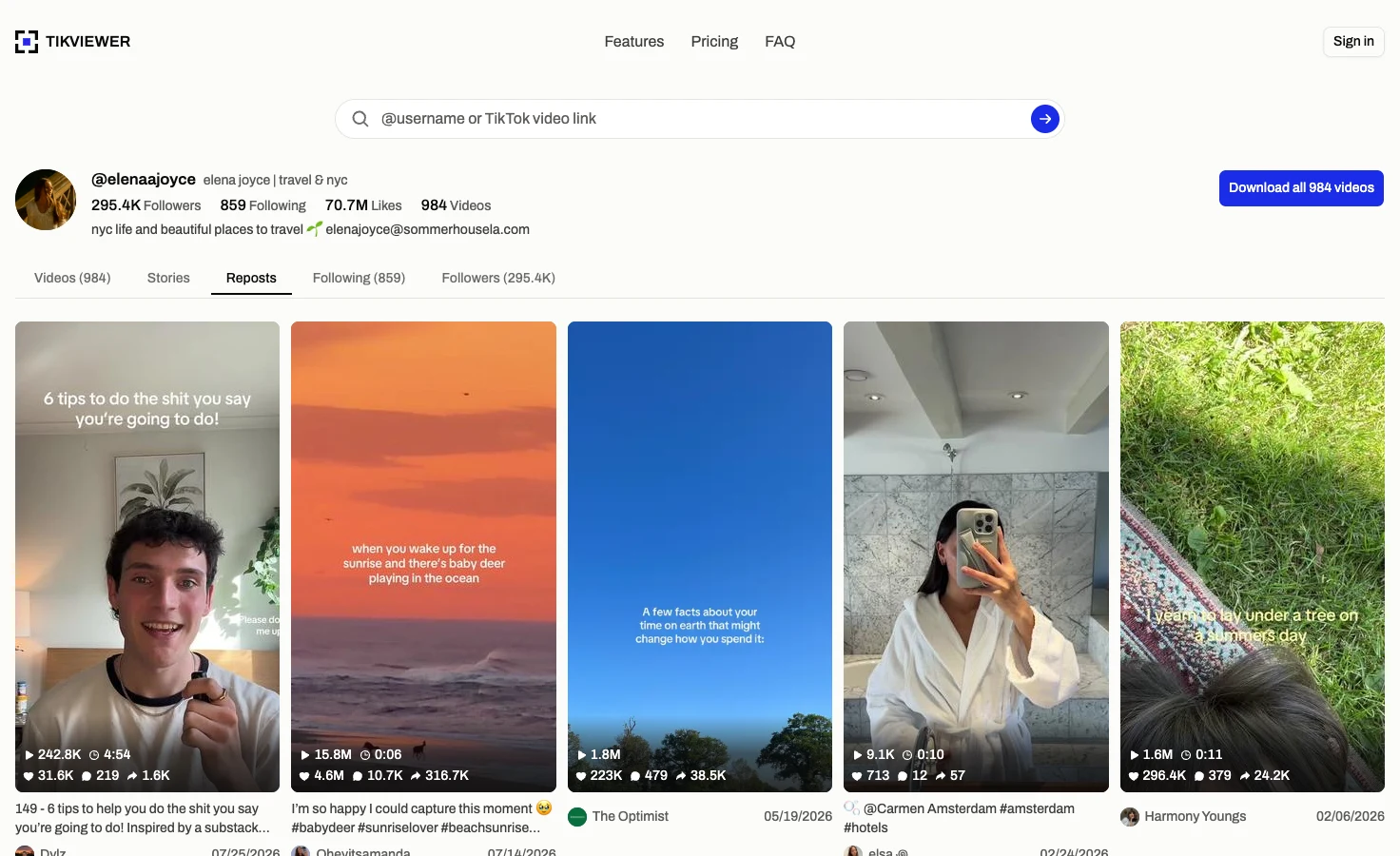
How to see someone’s reposts on TikTok
- 01
Enter a public username
Type the handle with or without the @. TikViewer finds the public profile and opens its Reposts tab directly, so there is no repost icon to hunt for first.
- 02
Scroll the reposted videos
Reposts load up to 21 at a time and keep loading as you scroll. Each tile shows the cover, the play count, the date the video was posted and the creator who made it.
- 03
Open, save or follow the creator
Select a video to play it full frame with its comments, and save it as an MP4 or MP3. Select a creator’s name to open their public profile instead.
What a public repost list can tell you
This page reads the reposts TikTok shows on a public profile. It does not unlock a private account or tell you more than TikTok itself publishes.
It does
- Open the Reposts tab for a public username
- Show each reposted video’s original creator
- Keep loading more reposts as you scroll
- Play a repost with its comments
- Save a repost as an MP4 or MP3, free
It does not
- See reposts on a private account
- Show when a video was reposted
- Count an account’s reposts (TikTok publishes no count)
- Show who viewed or replied to a repost
- Export the list or batch-download reposts
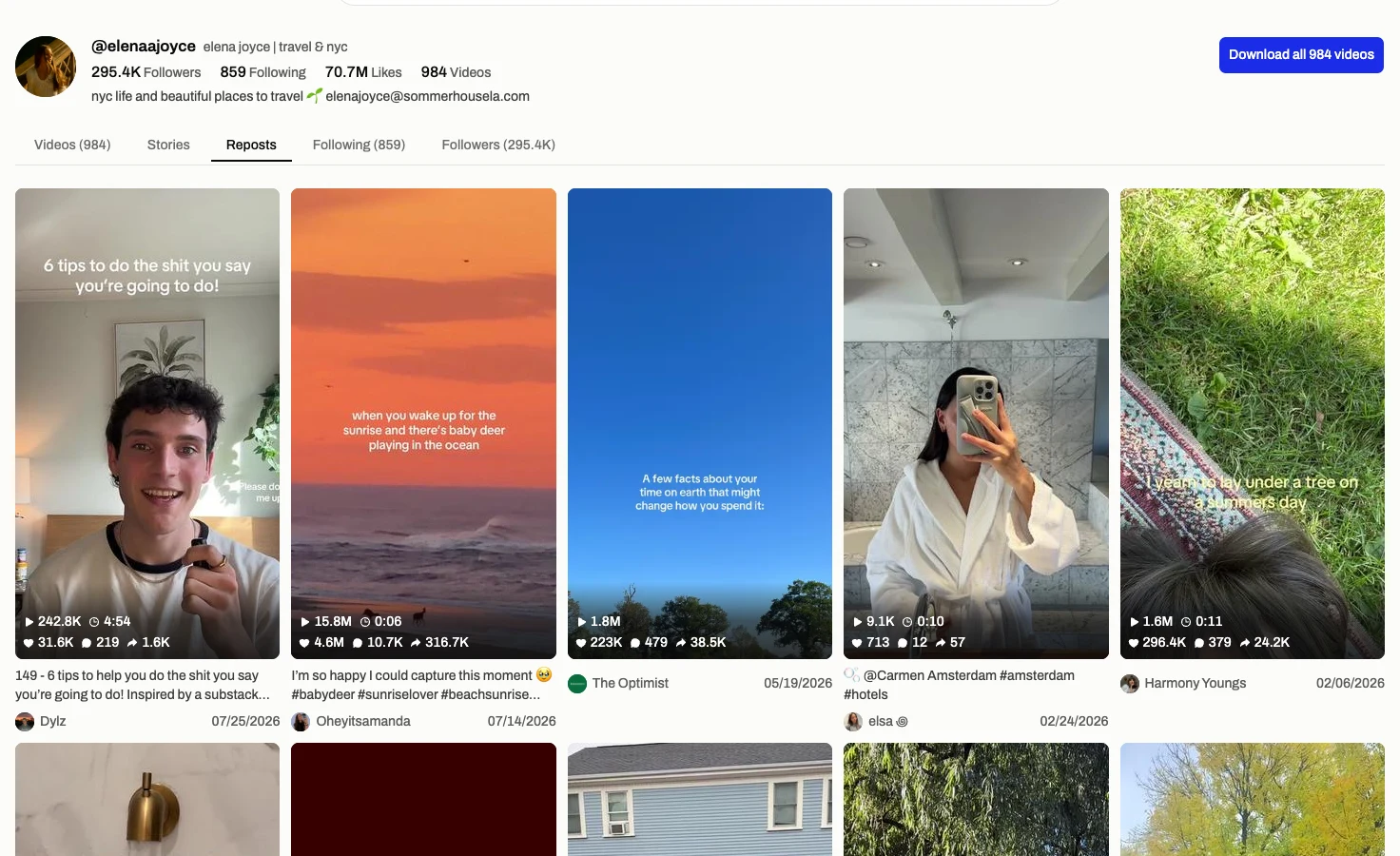
See what a public account has reposted
An account’s own posts show what it makes. Its reposts show what it chose to pass on, which is often a clearer read on its taste than anything it filmed itself.
The list opens on the Reposts tab and shows the videos in the order TikTok returns them. More load as you reach the bottom, so a long list never needs a button press per page.
Nothing here involves your TikTok account. The lookup runs on our side, so it is not tied to you and never appears to the account you are looking at.
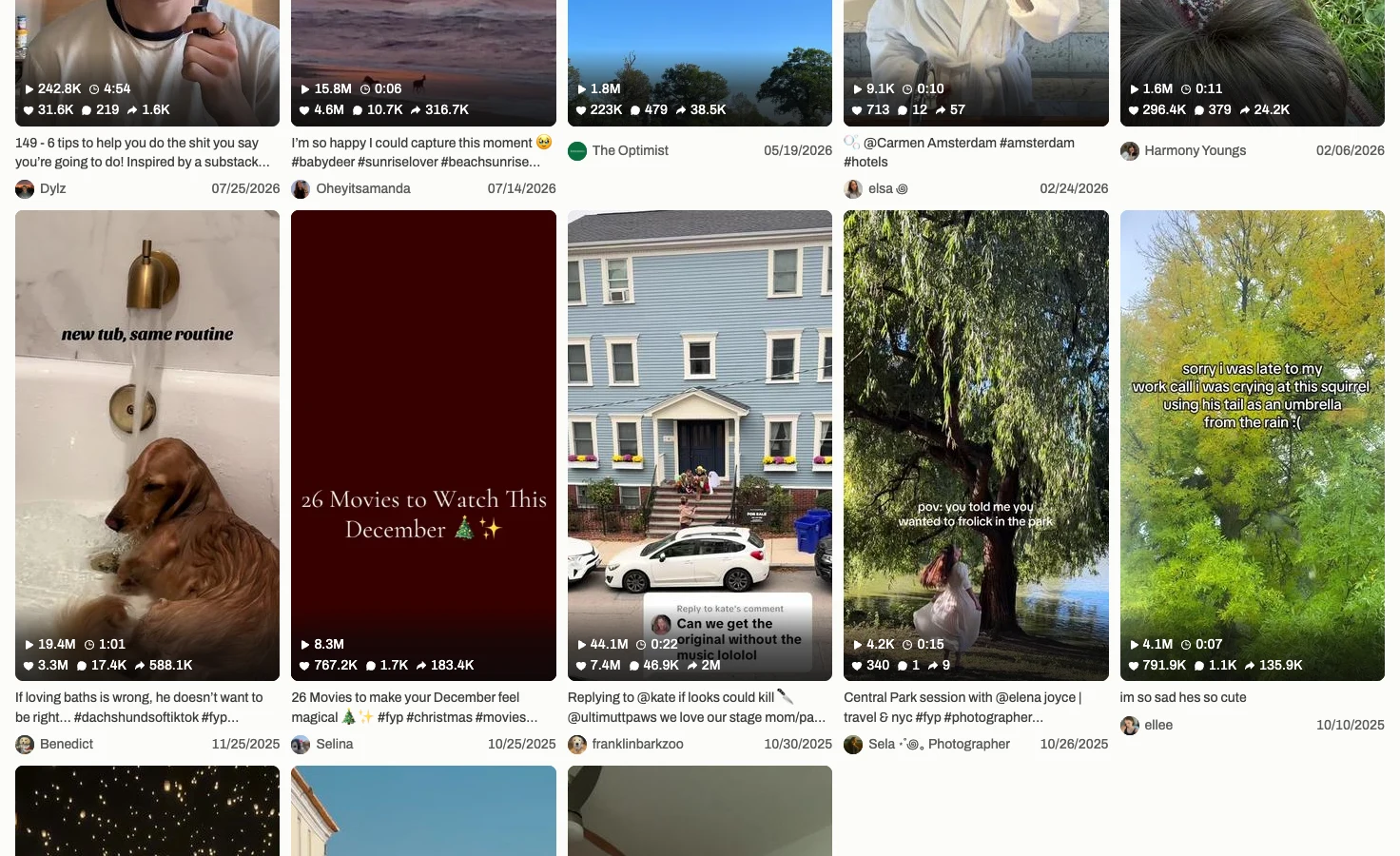
Every repost names its original creator
A repost is somebody else’s video, so each tile carries the avatar and name of the creator who made it, along with the date they posted it.
Select that name and the creator’s public profile opens, still on its Reposts tab, so you can follow a chain of reshares from one account to the next. Their own videos are one tab away.
The date is when the video was posted, not when it was reposted. TikTok does not publish a repost time, so this page does not guess one.
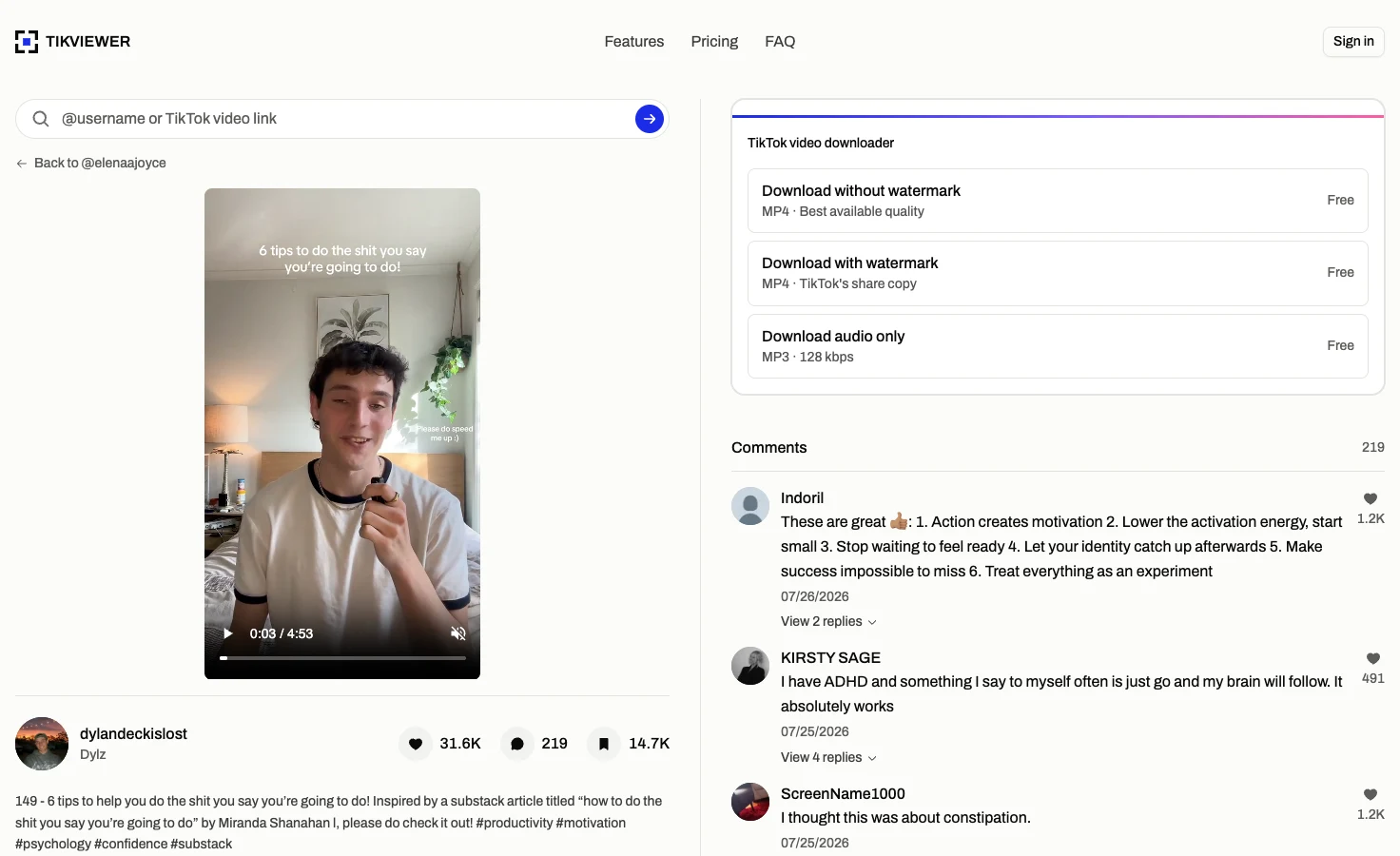
Open and save a reposted video
Select any repost and it plays full frame, with its caption, numbers and comment section on the same screen.
From there you can keep it: a watermark-free MP4, the copy with TikTok’s watermark, or the audio as an MP3. Single downloads are free and need no account, up to 20 a day without one.
The video still belongs to the creator who made it. Saving it for reference is one thing; republishing it is a question for them, not for us.
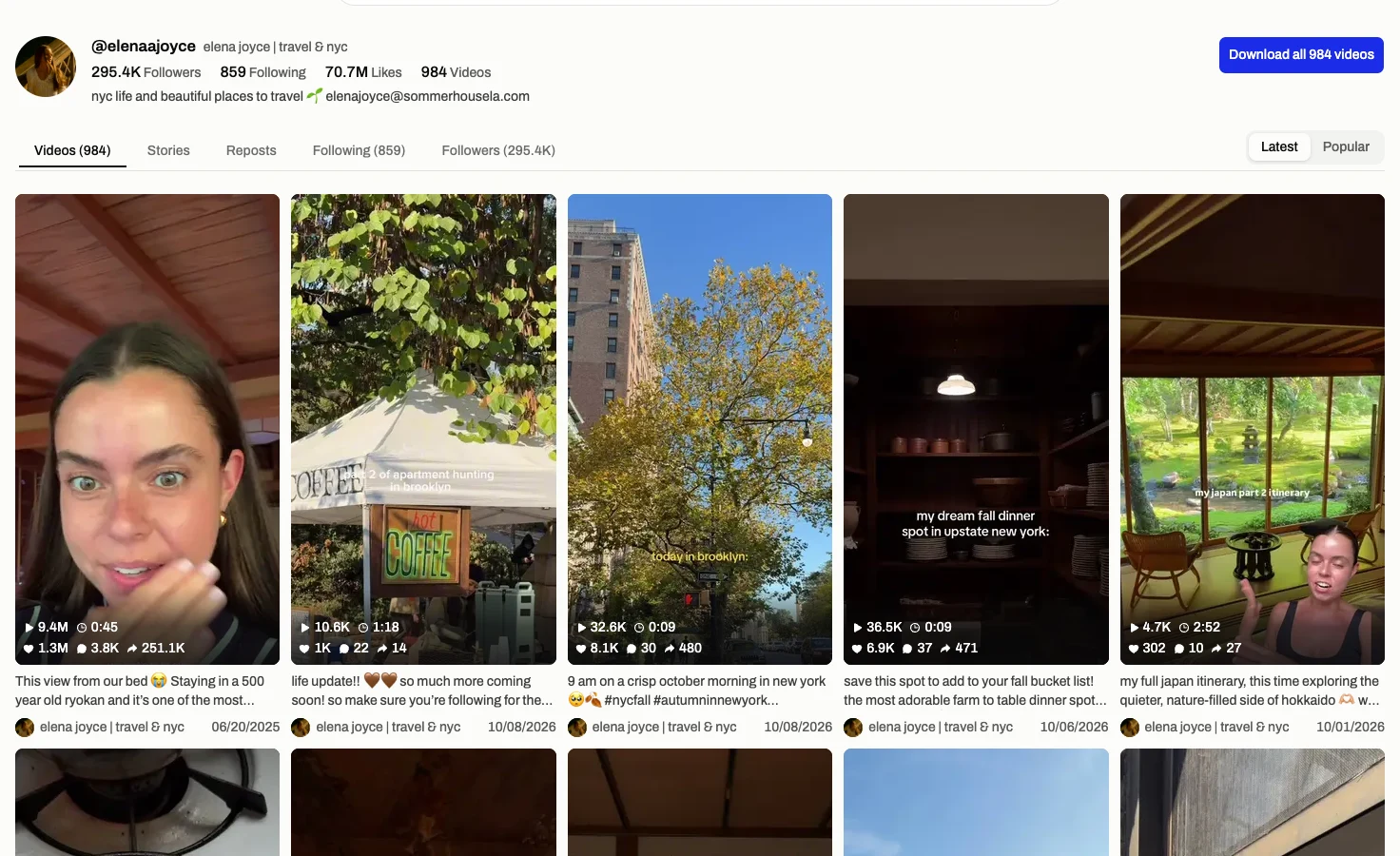
Reposts beside the rest of the profile
The Reposts tab sits in the same profile as the account’s videos, live stories, following list and followers. Switching tabs keeps the username, so you never retype it.
That makes it easy to compare what an account posts with what it reshares, or to check whether a creator mostly amplifies the same few names.
The address keeps the username and tab, so you can bookmark a repost list or send the link to someone else.
TikTok repost viewer facts
These details come from the current TikViewer implementation and TikTok’s published repost rules.
| Detail | Current behavior | Why it matters |
|---|---|---|
| Page size | Up to 21 reposts | The next page loads when you scroll to the bottom. |
| Freshness | Up to 6 hours | A list is cached, so a repost made in the last few hours may not appear yet. |
| Date shown | Original post date | TikTok does not publish when a video was reposted. |
| TikTok login | Not required | The lookup is not connected to your TikTok identity. |
| Account scope | Public only | A private account’s reposts are visible only to its followers. |
TikTok’s help page on reposts explains that a public account’s reposts appear on its profile and a private account’s only to its followers. Source: TikTok Help Center.
Useful when an account’s own posts are not the whole story
- Creators
- See which videos other creators in your niche choose to amplify, and which names keep coming up.
- Social teams
- Check what a potential partner reshares before you work with them, without connecting a TikTok account.
- Researchers
- Follow how a video travels from account to account through public reposts, one profile at a time.
Viewing reposts is free.
$0
No card. Credits land the moment you sign up.
- Browse comments and replies — unlimited
- Single downloads, TikTok's watermarked share copy — unlimited
- Single downloads, no watermark at best available quality — unlimited
- Single downloads, audio (MP3) — unlimited
- 2,000 credits on sign-up for batch downloads and comment exports
- No TikTok account or login required
$5.00/mo
Billed annually · Save 50% vs monthly.
- 200,000 credits per month
- About 1,333 videos or 200,000 comments
- Batch download an entire profile
- Include comment replies
- Video download, with or without watermark
- Audio download (MP3)
- No TikTok account or login required
- Priority support
$7.50/mo
Billed annually · Save 50% vs monthly.
- 500,000 credits per month
- About 3,333 videos or 500,000 comments
- Batch download an entire profile
- Include comment replies
- Video download, with or without watermark
- Audio download (MP3)
- No TikTok account or login required
- Priority support
$9.99/mo
Billed annually · Save 50% vs monthly.
- 750,000 credits per month
- About 5,000 videos or 750,000 comments
- Batch download an entire profile
- Include comment replies
- Video download, with or without watermark
- Audio download (MP3)
- No TikTok account or login required
- Priority queue
- Priority support
The repost viewer needs no TikViewer account and spends no credits, and single downloads are free too. Paid plans apply to separate batch downloads and comment exports.
TikTok repost viewer questions
How do I see someone’s reposts on TikTok?
In the TikTok app, open their profile and tap the Reposts tab, the icon with two arrows. Here, enter their username and the Reposts tab opens directly, in any browser and without a TikTok account.
Is this TikTok repost viewer anonymous?
The lookup is not tied to your TikTok identity because TikViewer never connects to a TikTok account. It reads the public reposts returned for the username you enter.
Can I see someone’s reposts without viewing their profile?
Yes. You never open their profile in TikTok, so the visit is not made from your account and cannot appear in their profile view history. You only see what their public profile already shows.
Why can’t I see someone’s reposts on TikTok?
The account may be private, in which case TikTok shows its reposts only to followers. It may also have removed its reposts or never reposted anything. TikViewer shows an empty Reposts tab in all three cases. TikTok Help Center
Can I see reposts from a private TikTok account?
No. TikTok limits a private account’s reposts to its followers, and this page does not ask for a password or have any way around that.
Can I see when a video was reposted?
No. TikTok does not publish a repost time. The date on each tile is when the original creator posted the video.
Can I download a reposted TikTok video?
Yes. Open the repost and choose a watermark-free MP4, the watermarked copy, or the audio as an MP3. Single downloads are free and need no account, up to 20 a day without one.
Is the TikTok repost viewer free?
Yes. Viewing reposts uses no credits and needs no TikViewer account. Credits are only for batch downloads and comment exports.
Can I see TikTok reposts on a PC or laptop?
Yes. This is an online web page, so it works in any browser on a PC, laptop, tablet or phone, with no app, APK or extension to install.
Is TikViewer connected to TikTok?
No. TikViewer is independent and unaffiliated. TikTok is a trademark of its owner.
See what a TikTok account has reposted
Enter one username and go straight to Reposts. No TikTok login, app or extension.
Public accounts only. Results can change as people repost, remove reposts or update their privacy settings.