
Instagram Reels Downloader
Paste a Reel link and download the video as an MP4 with its sound. Free, with no Instagram login, app or watermark, and the audio is one click away as an MP3.
Public posts only. Works with Reels, video posts and the first video in a carousel.
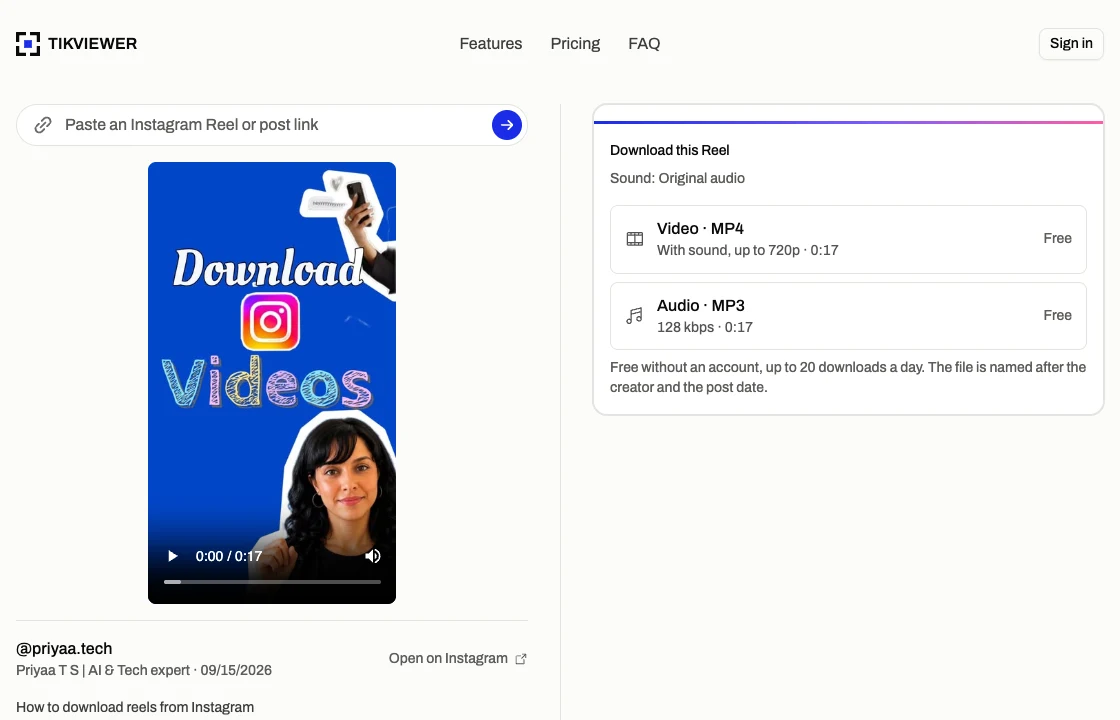
How to download Instagram Reels
- 01
Copy the Reel’s link
In Instagram, tap the Share icon under the Reel and choose Copy link. On a computer, copy the address from your browser’s address bar instead.
- 02
Paste it here
The Reel opens with its player, caption, creator and date, so you can check it is the one you meant before saving anything.
- 03
Download the MP4
Choose Video · MP4 and the file saves to your device, named after the creator and the day it was posted. If you only want the sound, Audio · MP3 is one row down.
What this Reels downloader can and can’t do
This page saves the video Instagram already shows to anyone on a public post. It does not open private accounts or improve on the file Instagram serves.
It does
- Download public Reels and video posts as MP4
- Keep the Reel’s sound in the file
- Save the first video in a carousel
- Save a Reel’s audio as an MP3 instead
- Work in any browser, on a phone or a computer
It does not
- Open Reels from a private account
- Download Stories, highlights or photos
- Go above the quality of Instagram’s MP4 (up to 720p)
- Download several Reels at once
- Make a Reel yours to repost
See the Reel before you save it
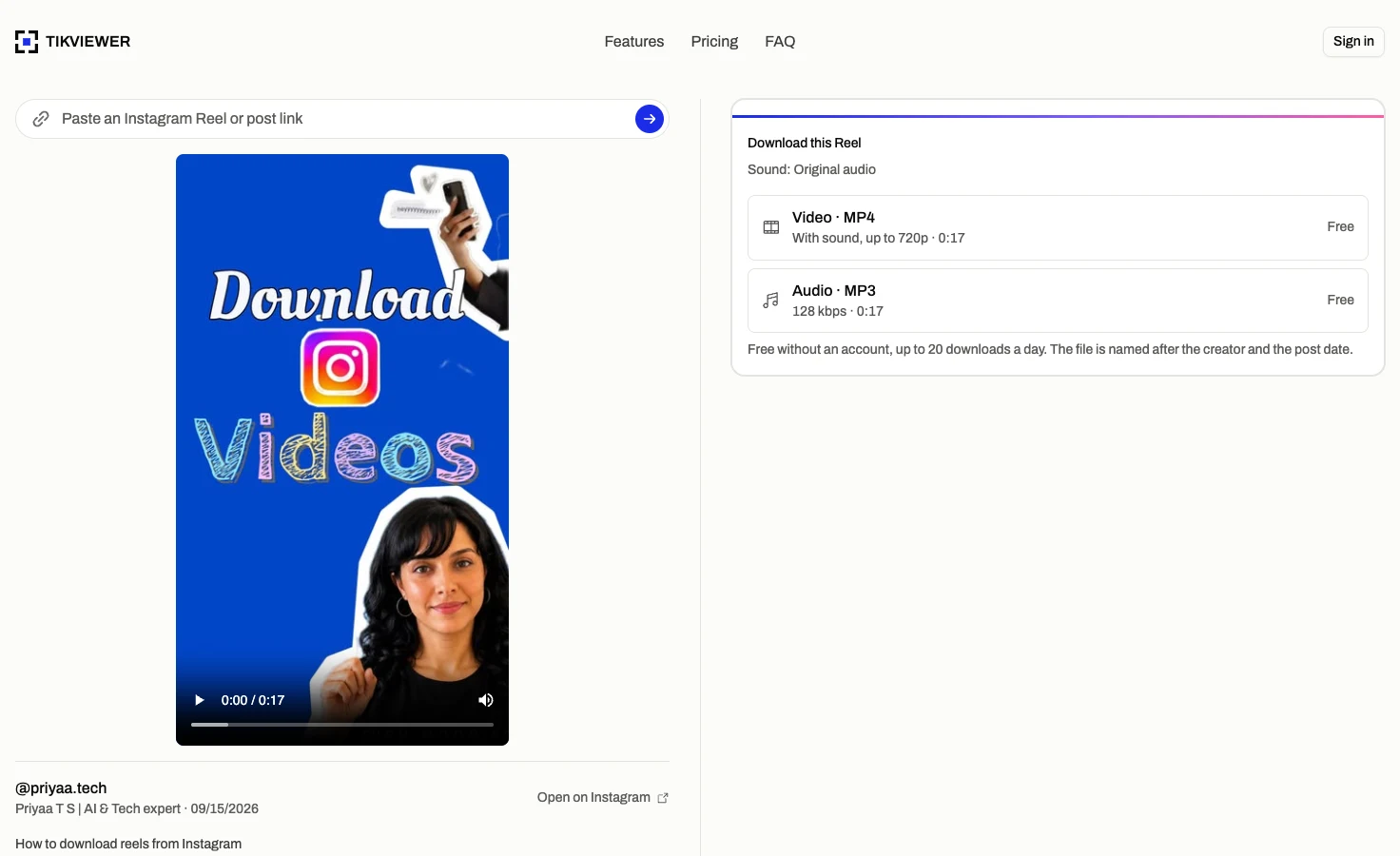
A pasted link opens the Reel itself, with the player, the creator, the date it was posted and the full caption, before anything is downloaded.
That is how you know the link you copied is the post you meant, which matters with carousels and with links passed along in a chat.
The lookup runs on our side and never touches your Instagram account, so it is not tied to you.
An MP4 you can find again
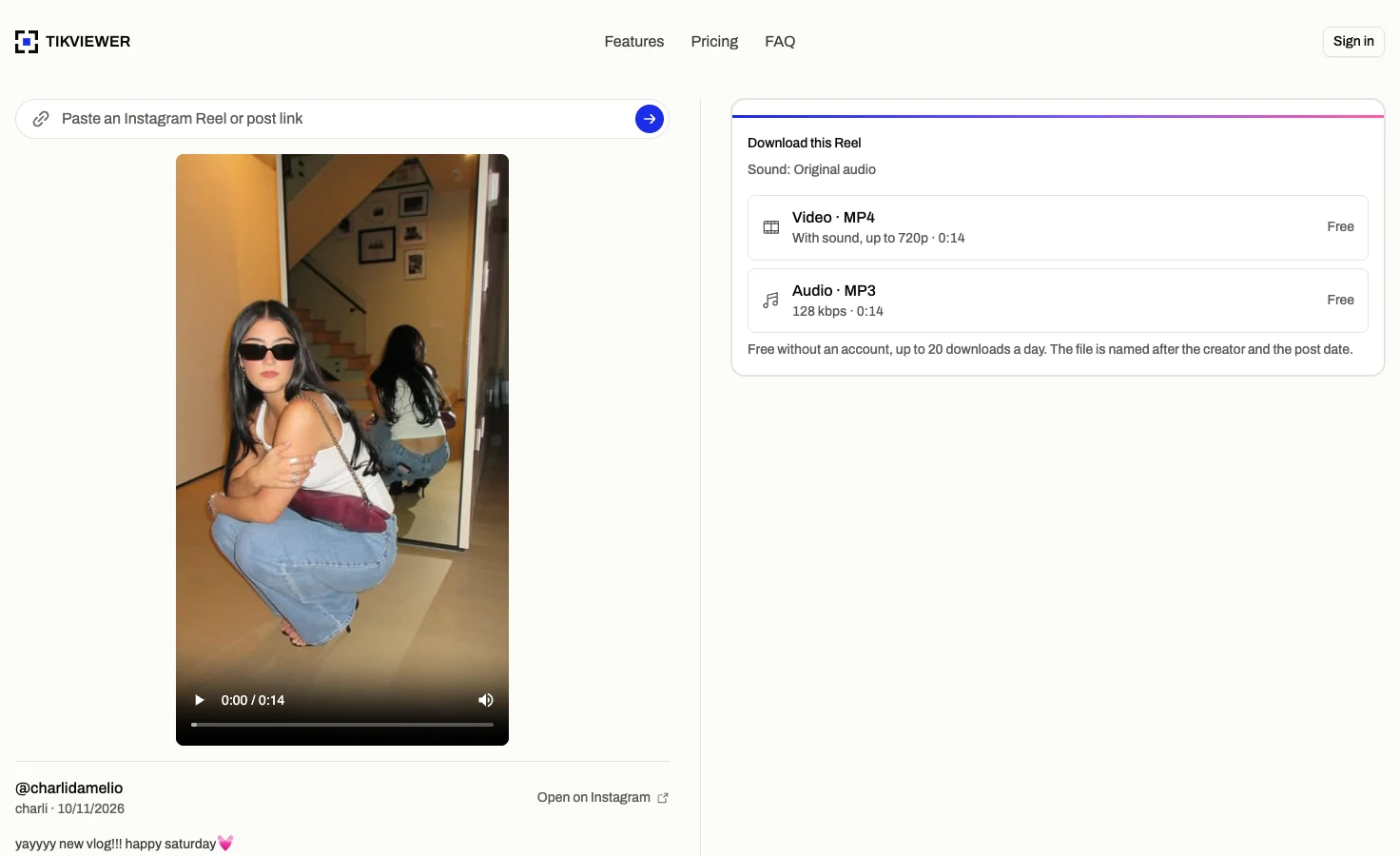
Video · MP4 saves the ready-made MP4 Instagram serves for the Reel, picture and sound in one file, up to 720p. It plays in any video app, with nothing to install.
There is no watermark on it. Instagram’s own download button, where a creator allows it, stamps the logo, the username and the audio credit onto the video.
The file is named after the creator, the date and the start of the caption, so a folder of saved Reels sorts by date and reads at a glance.
Just the audio, one row down
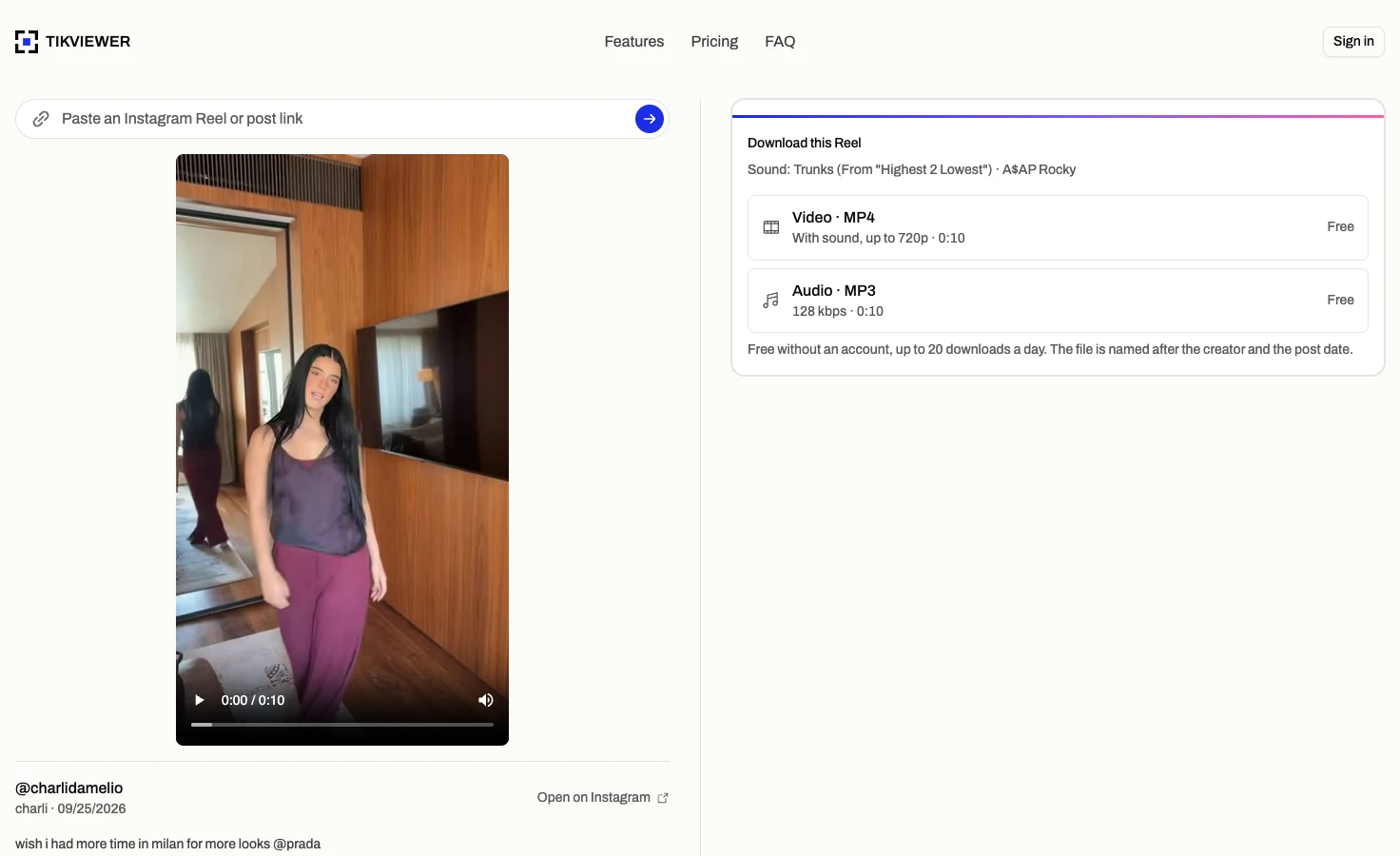
Every Reel with sound also offers Audio · MP3, a 128 kbps file of what plays in the Reel, converted in a few seconds.
The card names the sound before you save it: the creator’s original audio, or the title and artist of the track the Reel is set to.
For a Reel set to a song, the MP3 is the Reel’s soundtrack for the length of the Reel, not the full track.
Instagram Reels downloader facts
These details come from the current TikViewer implementation and Instagram’s published rules on downloading Reels.
| Detail | Current behavior | Why it matters |
|---|---|---|
| File | MP4, H.264 video with AAC sound | Plays in any video app on a phone or computer. |
| Quality | Up to 720p | The ready-made MP4 Instagram serves; some Reels come at 576p. |
| Watermark | None added | Instagram’s in-app download adds a logo, username and audio credit. |
| Works on | Phone and computer | Instagram’s own Reels download is not available on computers. |
| Account scope | Public posts only | A private account’s Reels are visible only to its followers. |
| Daily limit | 20 free without an account | Signing in to a free TikViewer account removes the cap. |
Instagram’s help page on downloading Reels says its own download is app-only and adds a watermark, the username and audio attribution. Source: Instagram Help Center.
Useful when a Reel is worth keeping
- Creators
- Keep a reference copy of a Reel you want to study, its pacing, cuts and opening seconds, without saving it inside Instagram.
- Social teams
- Archive a campaign’s Reels, or a partner’s posts, in a folder you control, named by creator and date.
- Teachers and researchers
- Save examples for a lesson or a study as plain MP4 files that play offline, in any app.
Instagram Reels download questions
How do I download Instagram Reels?
Copy the Reel’s link from Instagram’s Share menu, paste it into the field on this page, and choose Video · MP4. The file saves to your device’s downloads, with its sound.
Can I download Instagram Reels without an app?
Yes. This is a web page, so it works in any browser with nothing to install. Instagram’s own download button only exists inside its apps.
How do I download a Reel on iPhone?
Open this page in Safari, paste the link and tap Video · MP4. Safari saves the file to Files, in the Downloads folder. To move it into Photos, open it there, tap Share, then Save Video.
Can I download Instagram Reels on a PC or Mac?
Yes. Instagram does not offer its Reels download on computers, but this page works the same in Chrome, Safari, Edge or Firefox on a desktop or laptop. Instagram Help Center
Do downloaded Reels have a watermark?
Not from this page. The MP4 is the file Instagram serves, with nothing added. Reels saved with Instagram’s own download button include an Instagram watermark, the creator’s username and the audio credit. Instagram Help Center
Can I download Instagram Reels in 1080p?
Not from this page. Even when a Reel was uploaded in 1080p, the ready-made MP4 Instagram serves, which is the file you get here, is up to 720p, and some Reels, often older ones or ones set to music, come at 576p. TikViewer passes it on as it is and does not upscale it.
Can I download Reels from a private account?
No. Instagram shows a private account’s Reels only to its approved followers, and this page has no way around that.
Does the creator know if I download their Reel?
The lookup runs on TikViewer’s side and never uses your Instagram account, so nothing about it is tied to you or shown to the creator.
Is this Instagram Reels downloader free?
Yes. Up to 20 downloads a day need no account at all, and a free TikViewer account removes the daily cap. Downloads never spend credits.
Can I repost a Reel I downloaded?
Not without asking. The Reel belongs to its creator, and Instagram says Reels downloaded with its own button are not for commercial use. Keep a copy for reference, and ask the creator before you republish it.
Is TikViewer connected to Instagram?
No. TikViewer is independent and not affiliated with Instagram or Meta. Instagram is a trademark of Meta Platforms, Inc.
Download an Instagram Reel
Paste a link and save it as an MP4 with its sound. No Instagram login, app or extension.
Public posts only. Instagram is a trademark of Meta Platforms, Inc., and TikViewer is not affiliated with it.