
TikTok Account Viewer
A free TikTok viewer for whole accounts. Enter a username to see the profile, every video, live stories, reposts and both follow lists, without a TikTok account or app.
Public accounts only. Viewing is free and needs no sign-up, here or on TikTok.
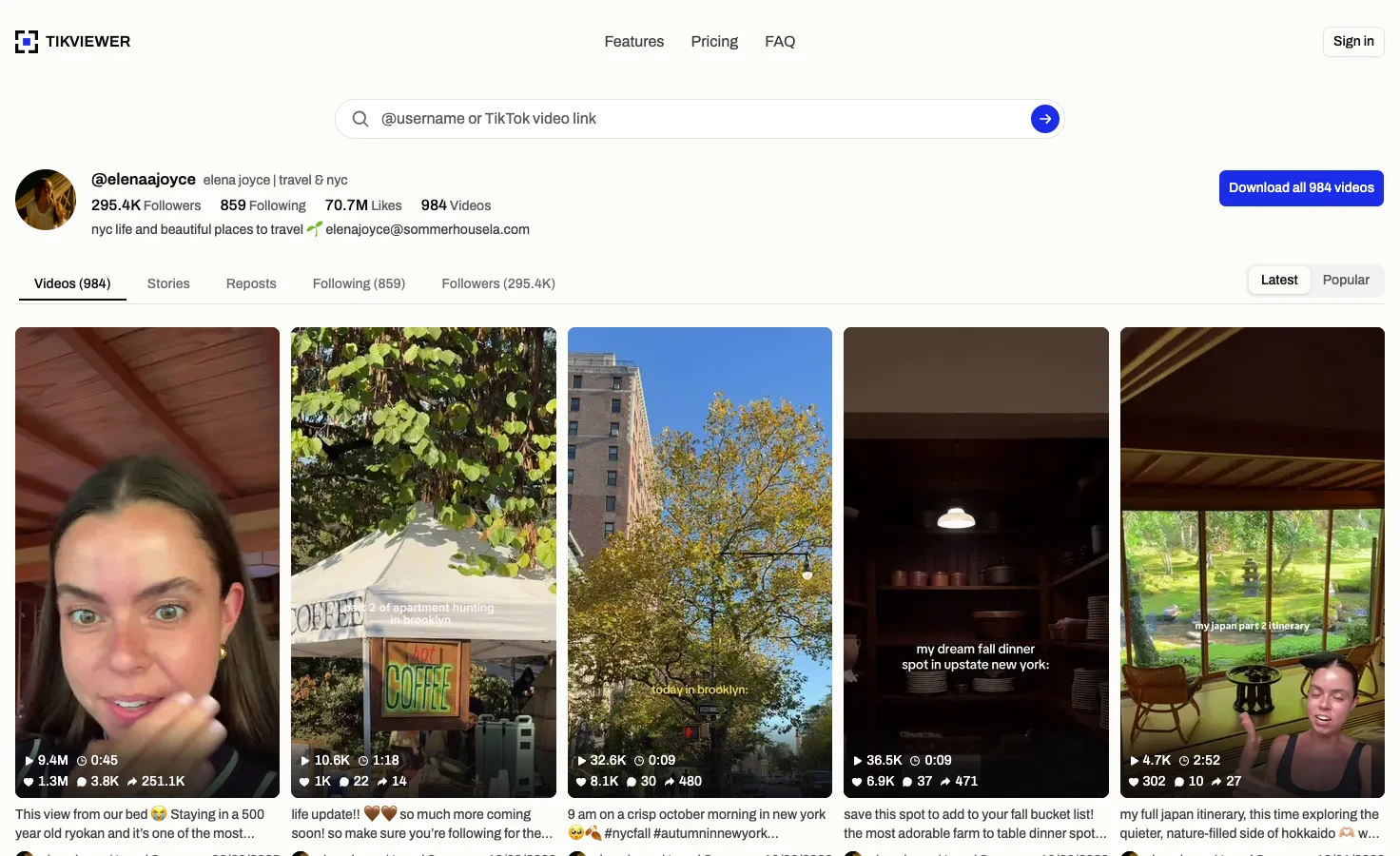
How to view a TikTok account without an account
- 01
Enter a public username
Type the handle with or without the @, or paste the profile link. TikViewer finds the public account and opens it on its Videos tab.
- 02
Read the profile
The header carries the avatar, name, follower, following, like and video counts, and the bio. Below it sit five tabs: Videos, Stories, Reposts, Following and Followers.
- 03
Go as deep as you need
Sort the videos by latest or most popular, switch tabs without retyping the name, and open any video or any account in a list to keep going.
What a public TikTok account shows here
This page reads what TikTok publishes for a public account. It does not unlock private accounts or reveal anything the profile itself hides.
It does
- Show the profile’s counts and bio
- List every video, latest or most popular first
- Open the live stories, reposts and follow lists
- Play any video with its comments
- Save a video free, or many with credits
It does not
- Open a private account’s videos or lists
- Show who viewed your own profile
- Show an account’s location or liked videos
- Bring back deleted or banned accounts
- Export the profile or track it over time
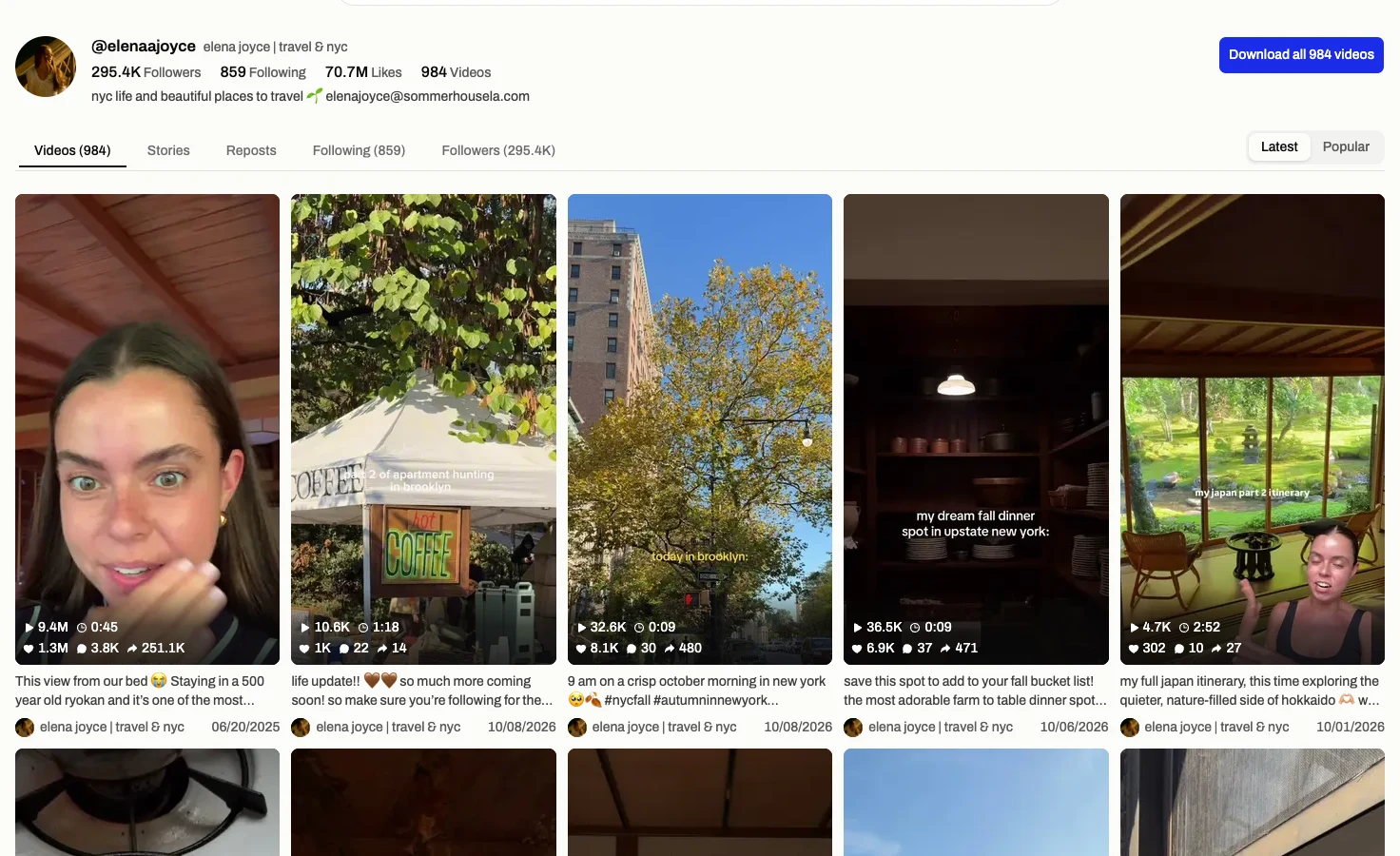
See the whole profile at a glance
One username opens the account the way its owner sees it: avatar, name, follower and following counts, total likes, number of videos and the bio, links and contact email included when the owner has added them.
Five tabs sit under the header, so the account is one page rather than five searches. The username stays in the address, which makes a profile easy to bookmark or send on.
Nothing here uses your TikTok account. The lookup runs on our side, so the account you are reading has no way to see that you did.
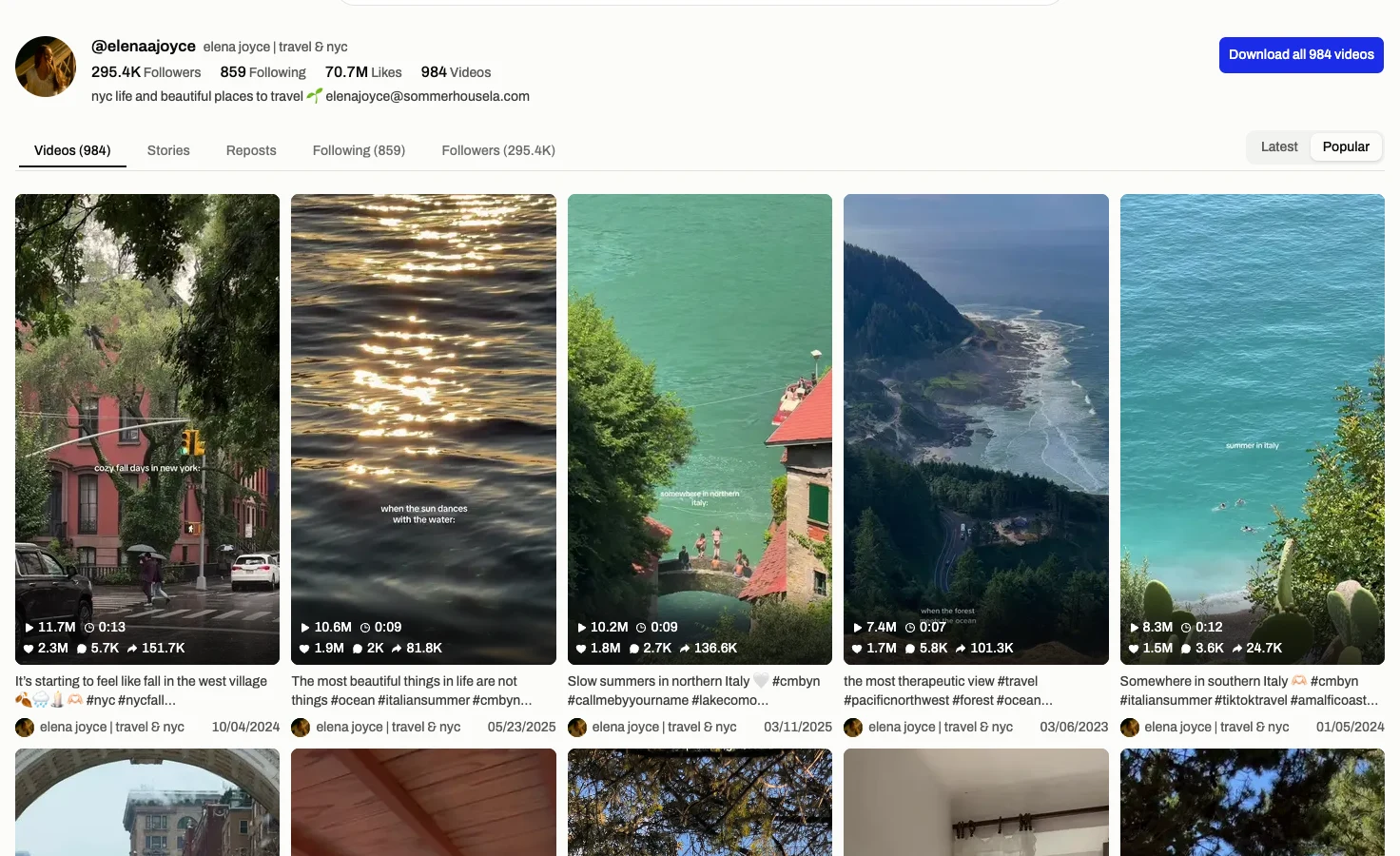
Every video, newest or most popular first
The Videos tab lists the account’s posts 20 at a time and keeps loading as you scroll. Each tile shows plays, length, likes, comments and shares, with the caption and the date it went up. Open one to see how many times it was saved, too.
Switch to Popular to see what actually worked for the account. Both orders are TikTok’s own, so there is no oldest-first view: TikTok does not offer one.
That is usually the quickest read on any creator: what they post most, and which of it people watched.
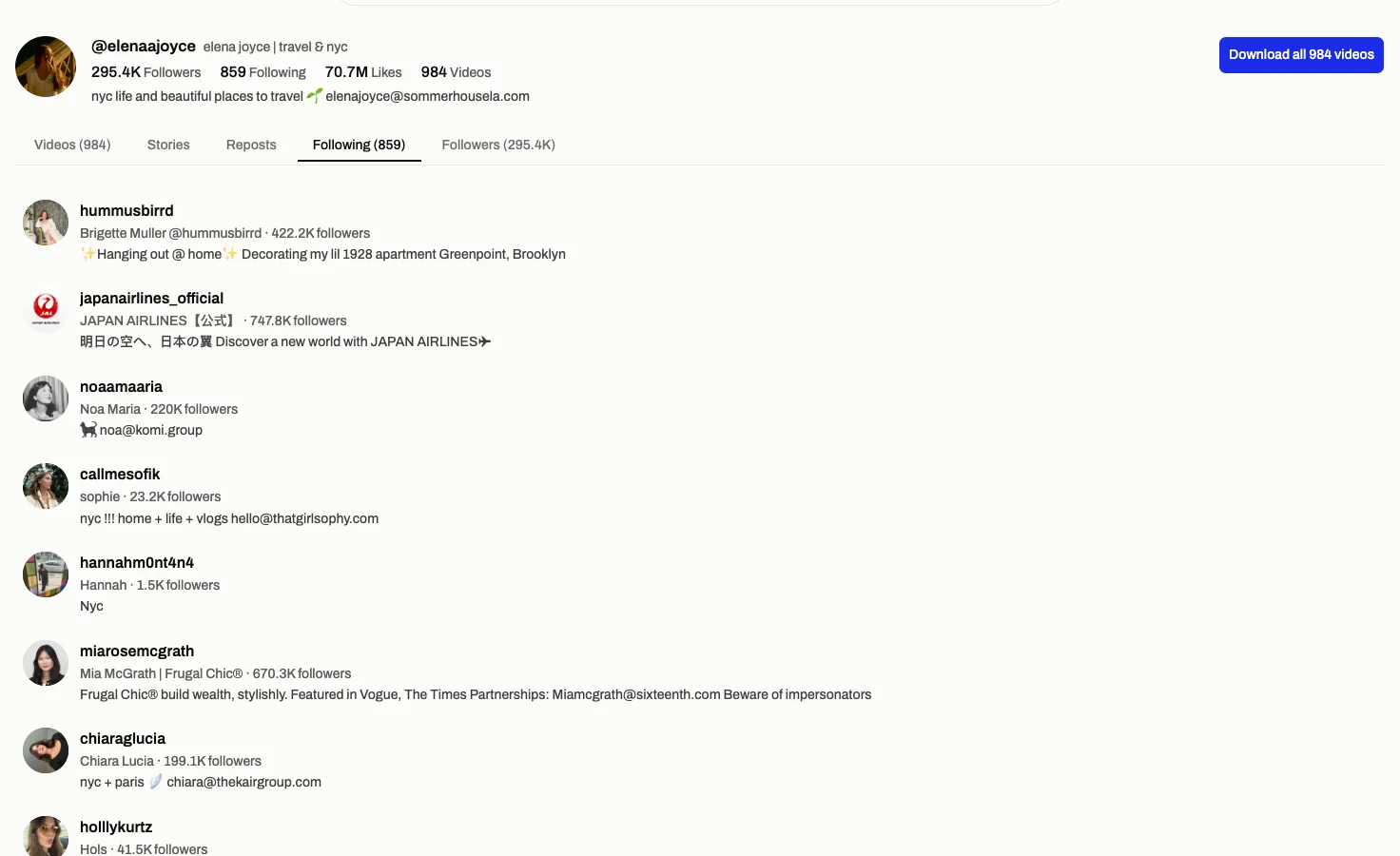
Stories, reposts and follow lists in the same place
Stories shows what the account has live right now, before TikTok removes each one 24 hours after it was posted. Reposts shows the videos it chose to pass on, each labelled with its original creator.
Following and Followers load 60 public profiles at a time, and you choose whether to load the next 60. Open any of them and that account takes over the page.
Each of these has its own page here too, when one list is all you came for: the story viewer, the repost viewer and the follower viewer.
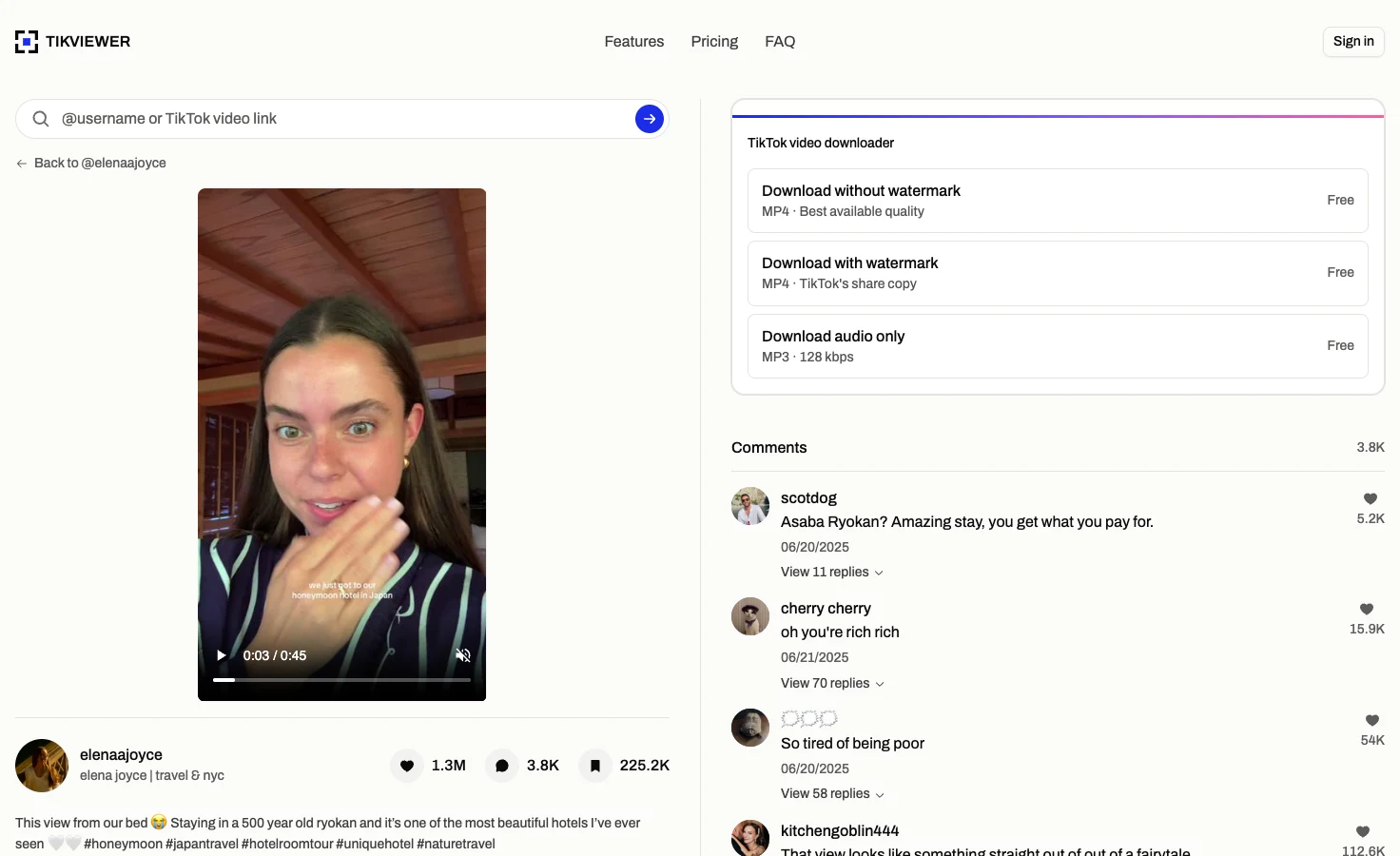
Open any video, save one or save them all
Select a video and it plays full frame, with its caption, numbers and comments on the same screen.
A single video saves free as a watermark-free MP4, TikTok’s watermarked copy or an MP3, with no account needed for up to 20 a day.
Download all packs up to 2,500 of the account’s videos into one ZIP. That uses credits, and the archive waits for you for seven days.
Under any video, the comments export to CSV or Excel, with or without replies, when you want what viewers said as rows you can sort and count. That uses credits too, charged only for the rows that come back.
TikTok account viewer facts
These details come from the current TikViewer implementation and TikTok’s published rules on profile views.
| Detail | Current behavior | Why it matters |
|---|---|---|
| Videos per page | 20 | The next page loads when you scroll to the bottom. |
| Video order | Latest or Popular | TikTok’s own two orders; it offers no oldest-first view. |
| Follow lists | 60 at a time | Load 60 more continues a long list only when you ask. |
| Batch download | Up to 2,500 videos | One ZIP, paid in credits, kept for seven days. |
| TikTok login | Not required | No TikTok account is used, so no profile view is recorded. |
| Account scope | Public only | Private accounts stay limited to the people they approve. |
TikTok’s help page on profile view history explains that a profile visit is listed only from accounts that have the setting turned on, for the past 30 days. Source: TikTok Help Center.
Useful when you need the whole account, not one video
- Creators
- Study another account in your niche: what it posts, what performs and what it reshares, without following it.
- Brands and agencies
- Check a creator before a deal: audience size, total likes, most popular videos and who they follow.
- No TikTok account
- Look up an account someone sent you without installing the app or signing up for anything.
Viewing an account is free.
$0
No card. Credits land the moment you sign up.
- Browse comments and replies — unlimited
- Single downloads, TikTok's watermarked share copy — unlimited
- Single downloads, no watermark at best available quality — unlimited
- Single downloads, audio (MP3) — unlimited
- 2,000 credits on sign-up for batch downloads and comment exports
- No TikTok account or login required
$5.00/mo
Billed annually · Save 50% vs monthly.
- 200,000 credits per month
- About 1,333 videos or 200,000 comments
- Batch download an entire profile
- Include comment replies
- Video download, with or without watermark
- Audio download (MP3)
- No TikTok account or login required
- Priority support
$7.50/mo
Billed annually · Save 50% vs monthly.
- 500,000 credits per month
- About 3,333 videos or 500,000 comments
- Batch download an entire profile
- Include comment replies
- Video download, with or without watermark
- Audio download (MP3)
- No TikTok account or login required
- Priority support
$9.99/mo
Billed annually · Save 50% vs monthly.
- 750,000 credits per month
- About 5,000 videos or 750,000 comments
- Batch download an entire profile
- Include comment replies
- Video download, with or without watermark
- Audio download (MP3)
- No TikTok account or login required
- Priority queue
- Priority support
Browsing a whole account needs no TikViewer account and spends no credits, and single downloads are free too. Credits are for downloading many videos at once and for comment exports.
TikTok account viewer questions
Can I view someone’s TikTok profile without an account?
Yes, when the account is public. Enter the username here and the profile opens with its videos, stories, reposts and follow lists, with no TikTok account and no TikViewer sign-up.
Can I view someone’s TikTok account anonymously?
Yes. TikViewer never signs in to TikTok, so the lookup is not tied to you. The account owner sees no follow, like or visit from it, and since your own TikTok account is never involved, nothing you look at here can get it restricted or banned.
Will they know I viewed their TikTok profile?
No. TikTok lists profile visits only from accounts that have profile view history turned on, and only for 30 days. Viewing here uses no TikTok account at all, so there is no visit to list. TikTok Help Center
Can I view TikTok as a guest?
Here, yes. Every public profile, video and list on this page opens without signing in, either to TikTok or to TikViewer, and nothing asks you to make an account to keep scrolling.
Can I view a private TikTok account?
No. A private account’s videos and lists are limited to the followers it approves, and this page does not ask for a password or have any way around that.
Does it show stories, reposts and followers too?
Yes. They are tabs on the same profile. If one list is all you need, the story viewer, repost viewer and follower viewer each open straight on it.
Can I download videos from a TikTok account?
Yes. Open any video to save it free as an MP4 or MP3, up to 20 a day without an account. To save many at once, Download all packs up to 2,500 videos into one ZIP using credits.
Is the TikTok account viewer free?
Yes. Viewing profiles, videos, stories, reposts and follow lists uses no credits and needs no TikViewer account. Credits are only for batch downloads and comment exports.
Does it work online on a phone or PC?
Yes. It is a web page, so it works in any browser on a phone, tablet, laptop or PC, with no app, APK or extension to install.
Does it work in any country?
The lookup does. It runs on TikViewer’s servers, not from your location, so a public account shows the same profile, videos and lists wherever you open this page. Videos and pictures still stream from TikTok’s own servers, so a network that blocks those will stop them loading even though the page opens.
Is TikViewer connected to TikTok?
No. TikViewer is independent and unaffiliated. TikTok is a trademark of its owner.
View a public TikTok account
Enter one username to see the whole account. No TikTok login, app or extension.
Public accounts only. Numbers change as the account posts, gains followers or updates its privacy settings.