
TikTok Follower Viewer
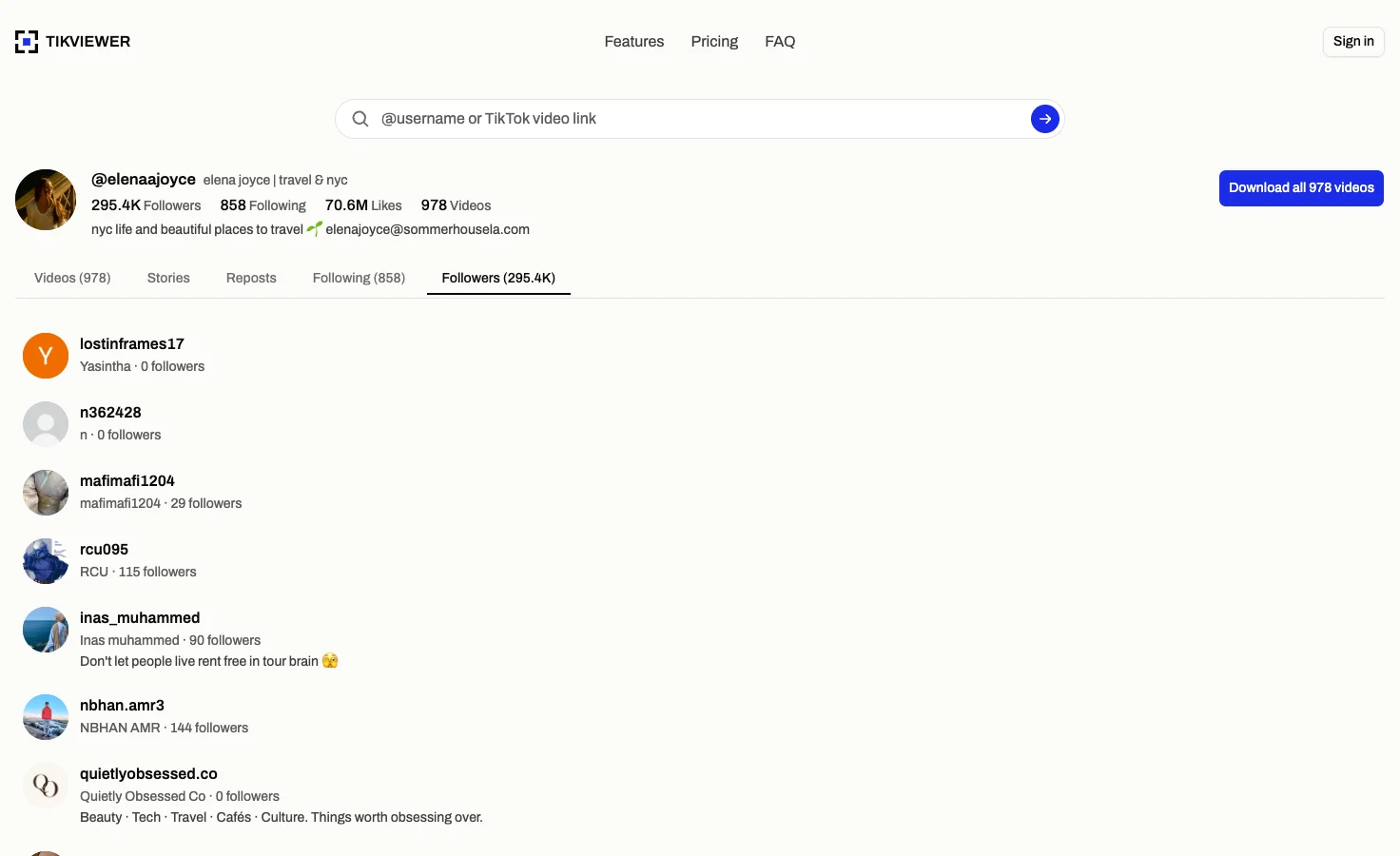
View the follower list of any public TikTok account by username. Read the public profile details behind each follower without signing in to TikTok or installing anything.
Public accounts only. TikViewer loads 60 followers automatically, then lets you request the next 60 when you need them.
How the TikTok follower viewer works
- 01
Enter a public username
Type the handle with or without the @. TikViewer resolves the public profile and opens its Followers tab directly, so there is no profile menu to hunt through first.
- 02
Browse the first 60 followers
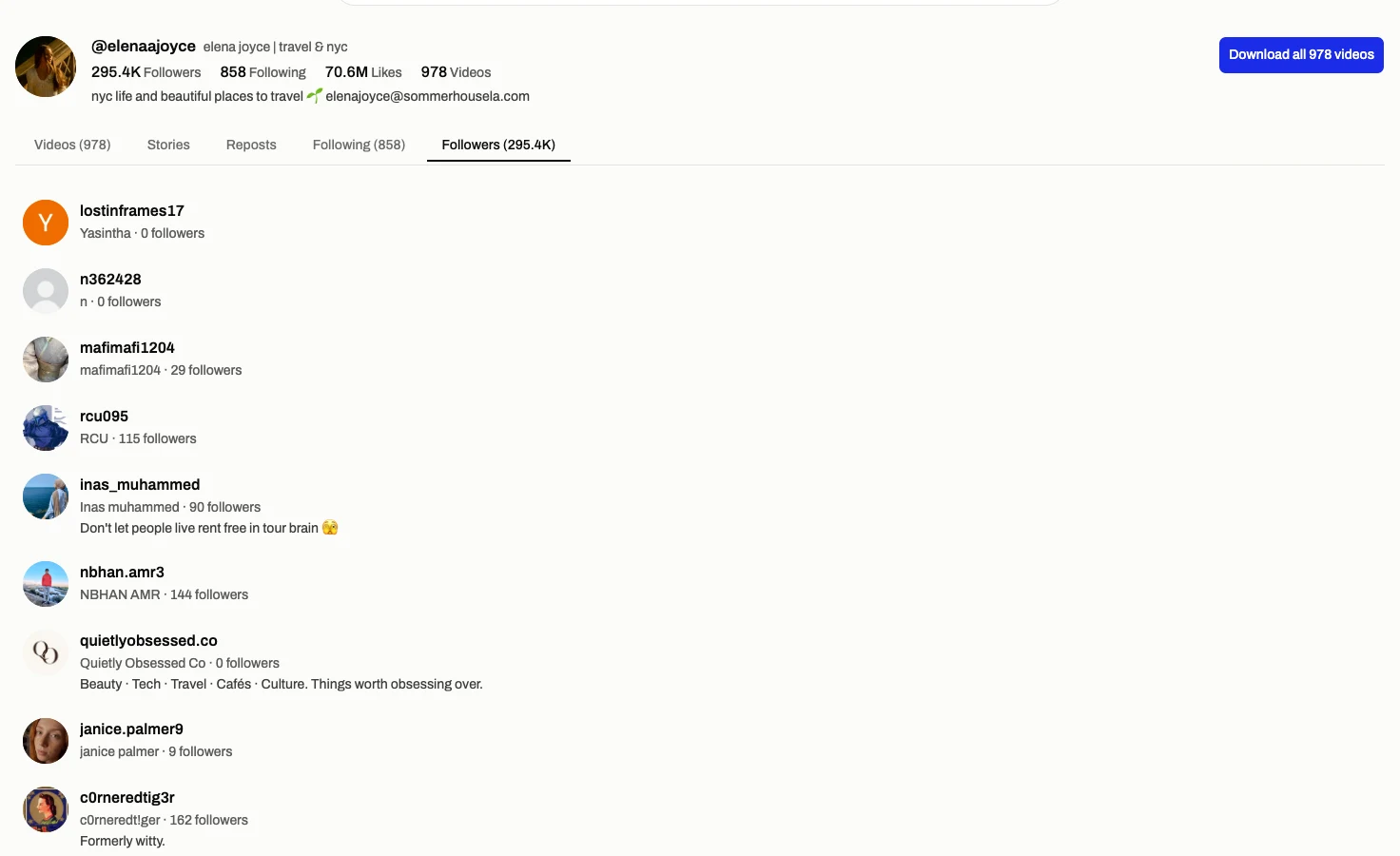
The list arrives in three controlled pages of 20. Each row keeps the public context that helps identify an account: avatar, handle, nickname, compact follower count and bio when one is available.
- 03
Continue only when you need to
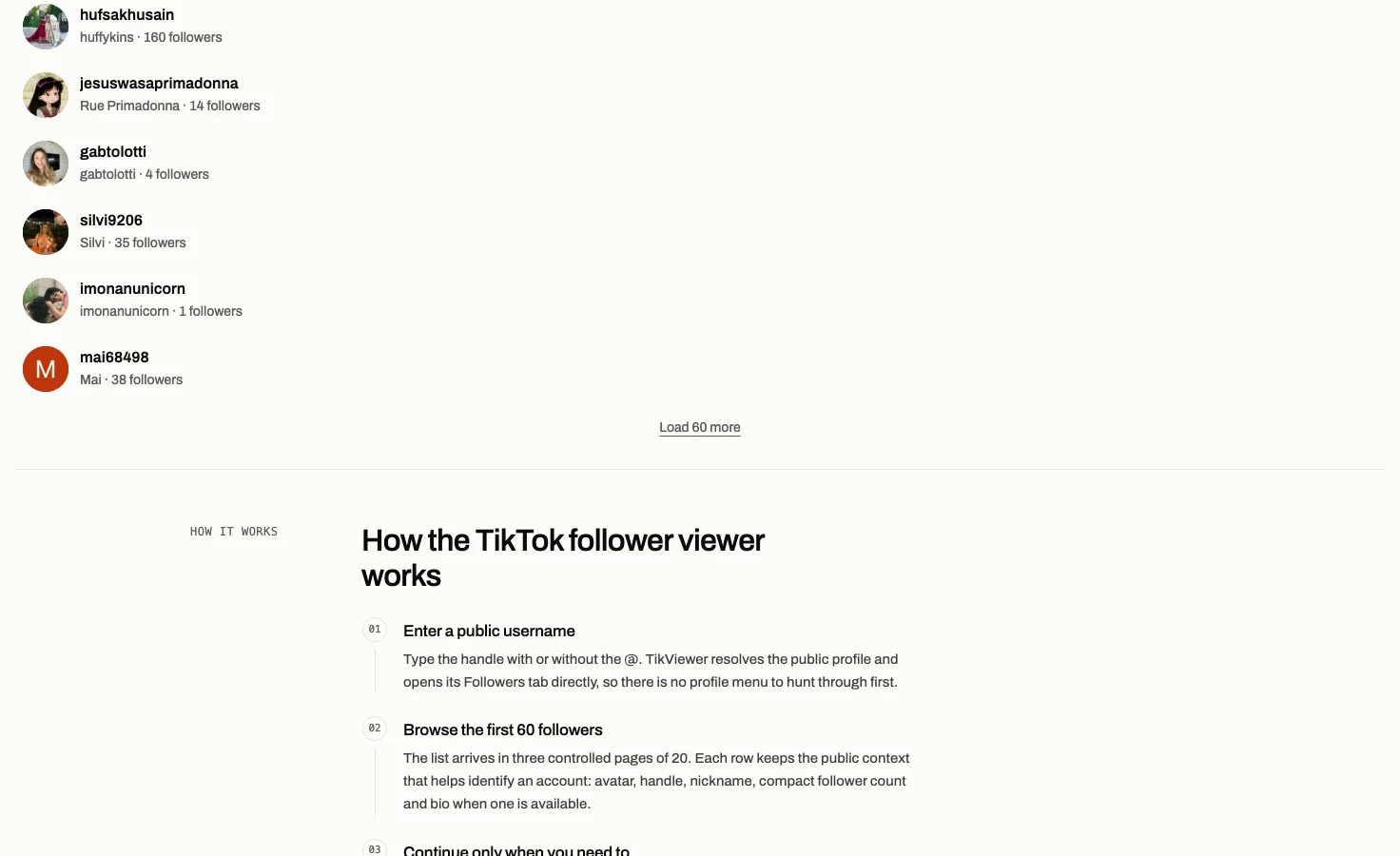
Choose Load 60 more for the next batch, or open a listed username to inspect that public account. On this page the next profile stays on its Followers tab, which makes a network easier to follow without losing the task.
What a public follower list can tell you
This page reads information TikTok exposes for public accounts. It does not unlock private lists or turn a current list into historical tracking.
It does
- Open the Followers tab for a public username
- Load 60 public profiles automatically
- Show public handles, names, follower counts and bios
- Load the next 60 only after you ask
- Open a follower’s own public profile
It does not
- See a private account’s follower list
- Promise every follower when TikTok stops returning pages
- Show when someone followed or unfollowed
- Export the list or compare two accounts
- Connect to, post from or modify your TikTok account
View a public TikTok follower list
A follower count tells you how large an audience is. The follower list shows which public accounts make up the visible part of that audience.
The first 60 profiles load automatically in batches of 20. That gives the page enough context to be useful without turning one visit into an uncontrolled crawl through a large account.
The original profile remains above the list, so the followers stay attached to the account you searched rather than becoming an anonymous spreadsheet of handles.

Read the public profile behind each follower
Each row carries more than a username. You can see the public avatar, nickname, compact follower count and one line of bio where TikTok supplies it.
That is enough to separate a creator, a brand and a personal account before opening another profile. It is also useful when several handles look almost the same.
Numbers are displayed compactly for scanning. This page does not claim historical growth or an exact change since yesterday because it stores no follower timeline.

Move from one public account to the next
Select any row and that public account becomes the new profile. The Followers tab stays active, so you can continue through related accounts without repeating the same navigation each time.
This is useful for understanding the visible edges of a niche: start with one creator, inspect a follower that looks relevant, and keep moving only where the public profile gives you a reason.
TikViewer never follows, likes or messages anyone. Opening a row changes only the page in your browser.
Load more followers in controlled batches
Large follower lists can run into thousands or millions of profiles. Loading all of that in the background would be slow, expensive and rarely useful.
After the first three pages, the list stops and shows Load 60 more. Each press allows another three pages of 20, and you decide whether the next batch is worth fetching.
A missing next page means TikTok returned no further cursor. It does not prove that a displayed batch is a permanent or complete record of the account’s followers.
Public follower viewer facts
These limits come from the current TikViewer implementation and TikTok’s published account-privacy rules.
| Detail | Current behavior | Why it matters |
|---|---|---|
| Automatic batch | 60 profiles | Three pages of 20 load before the list pauses. |
| Manual batch | 60 profiles | Load 60 more allows the next three pages. |
| TikTok login | Not required | The lookup is not connected to your TikTok identity. |
| Account scope | Public only | Private follower and following lists remain restricted. |
TikTok’s account privacy documentation explains who can see follower and following lists on public and private accounts. Source: TikTok Help Center.
Useful when a follower count is not enough
- Creators
- Inspect the visible public profiles around another creator without connecting a TikTok account.
- Researchers
- Follow public-account relationships one profile at a time while keeping the source account on screen.
- Social teams
- Distinguish relevant public creators, brands and community accounts from similar-looking handles.
Viewing public followers is free.
$0
No card. Credits land the moment you sign up.
- Browse comments and replies — unlimited
- Single downloads, TikTok's watermarked share copy — unlimited
- Single downloads, no watermark at best available quality — unlimited
- Single downloads, audio (MP3) — unlimited
- 2,000 credits on sign-up for batch downloads and comment exports
- No TikTok account or login required
$5.00/mo
Billed annually · Save 50% vs monthly.
- 200,000 credits per month
- About 1,333 videos or 200,000 comments
- Batch download an entire profile
- Include comment replies
- Video download, with or without watermark
- Audio download (MP3)
- No TikTok account or login required
- Priority support
$7.50/mo
Billed annually · Save 50% vs monthly.
- 500,000 credits per month
- About 3,333 videos or 500,000 comments
- Batch download an entire profile
- Include comment replies
- Video download, with or without watermark
- Audio download (MP3)
- No TikTok account or login required
- Priority support
$9.99/mo
Billed annually · Save 50% vs monthly.
- 750,000 credits per month
- About 5,000 videos or 750,000 comments
- Batch download an entire profile
- Include comment replies
- Video download, with or without watermark
- Audio download (MP3)
- No TikTok account or login required
- Priority queue
- Priority support
The follower viewer needs no TikViewer account and spends no credits. Paid plans apply to separate batch-download and comment-export work, not to browsing this list.
TikTok follower viewer questions
Can I view someone’s TikTok followers without an account?
Yes, when the TikTok account and its follower list are public. Enter the username here; you do not need to sign in to TikTok or connect a TikViewer account for browsing.
Is this an anonymous TikTok follower viewer?
The lookup is not tied to your TikTok identity because TikViewer never connects to a TikTok account. It reads the public profile data returned for the username you enter.
Can I see followers from a private TikTok account?
No. TikTok restricts private follower and following lists to approved people. This page does not ask for a password and has no way around that boundary.
Does the TikTok follower list viewer show every follower?
It shows the profiles TikTok returns page by page. The first 60 load automatically and you can request another 60 at a time, but TikViewer does not promise a complete permanent list.
Why does the follower list stop loading?
The account may be private, unavailable or out of returned pages, or TikTok may have stopped supplying a next cursor. Try the spelling first; a public username should resolve to its profile header.
Can I download or export the follower list?
No. This page is for browsing public profiles in the browser. It does not export followers to CSV or Excel.
Is the TikTok followers viewer free?
Yes. Browsing a public follower list does not use credits and does not require a TikViewer account. Credits belong to separate batch downloads and comment exports.
Do I need an app, APK or browser extension?
No. This is a responsive web page, so it works in a normal browser on a phone, tablet or desktop without installing anything.
Does this track new followers or daily growth?
No. It reads the current public list when you ask and stores no follower history, so it cannot show when someone followed, unfollowed or how much an account grew yesterday.
Is TikViewer connected to TikTok?
No. TikViewer is independent and unaffiliated. TikTok is a trademark of its owner.
Open a public TikTok follower list
Enter one username and go straight to Followers. No TikTok login, app or extension.
Public accounts only. Results can change as people follow, unfollow or update their privacy settings.